Enabling NBAD
Overview
Meta NBAD is a Trisul Apps-based Network Behavior Analysis and Detection solution designed to provide visibility into network traffic, application behavior, security events, and operational anomalies.
The solution combines flow analytics, Layer 7 visibility, behavioral monitoring, traffic investigation, and alerting capabilities through a collection of Trisul Apps and dashboards. It operates using passive network monitoring and analyzes network traffic in real time as well as historically.
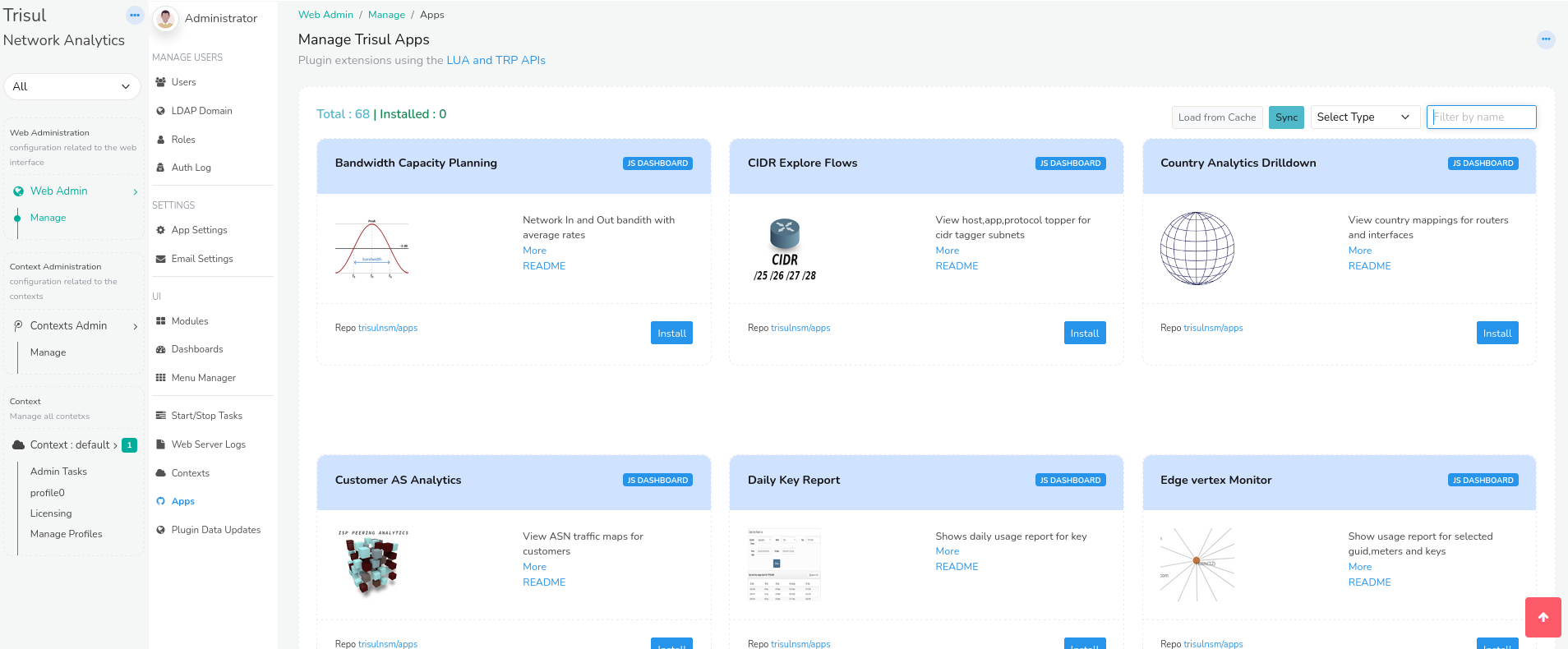
To access Trisul Apps, Login as admin user
👉 Select Web Admin → Manage → Apps
From here you can install, upgrade, or uninstall Trisul Apps.
Installation
Prerequisites
Before installing Meta NBAD, ensure that:
- Trisul is already deployed and operational
- Required monitoring interfaces are configured
- Administrative access to Web Admin is available
- Required Trisul Apps packages are accessible
Installing the Meta NBAD App
The Meta NBAD functionality is provided through Trisul Apps. Installation can be verified through the Web Admin interface.
👉 Go to Trisul Apps and install NBAD Meta Apps
Verify that required applications such as:
- NFGEN – NetFlow Generator
- TCP Analyzer
- DDoS Monitor
- Stable Keys
- ShiftX
are installed and enabled.
Initial Configuration
After installation:
- Configure monitoring interfaces
- Verify traffic ingestion
- Configure export settings if required
- Enable required dashboards and alert groups
- If NFGEN is installed, restart the Trisul probe to apply the NetFlow/IPFIX export configuration changes
Restart the probe using:
sudo systemctl restart trisul-probe
Traffic visibility and dashboards can then be verified from the user interface.