RAT - The Trisul real time system monitor
The rat executable is located in /usr/local/bin/.
RAT monitors the internal performance characteristics of Trisul pipelines. Use it when you are trying to tune the performance of the packet capture and analytics pipelines.
Full Command line
[root@li76-90 ~]# rat probe-config-file packet-capture-method
The second parameter is the name of the capture pipeline to watch. RAT matches it as a prefix against the stats files in the context's run directory, so use the method the probe runs with, such as rxring, afp (AF_PACKET), lpcap (libpcap), pfring or ffpcap (capture from file). If you leave it out, RAT uses tokenpipe_.
An example run
[root@li76-90 ~]# rat /usr/local/etc/trisul-probe/domain0/probe0/context0/trisulProbeConfig.xml rxring
You can also use the helper aliases defined in trisbashrc to make it easier to start RAT. See the screenshots below.
Demo
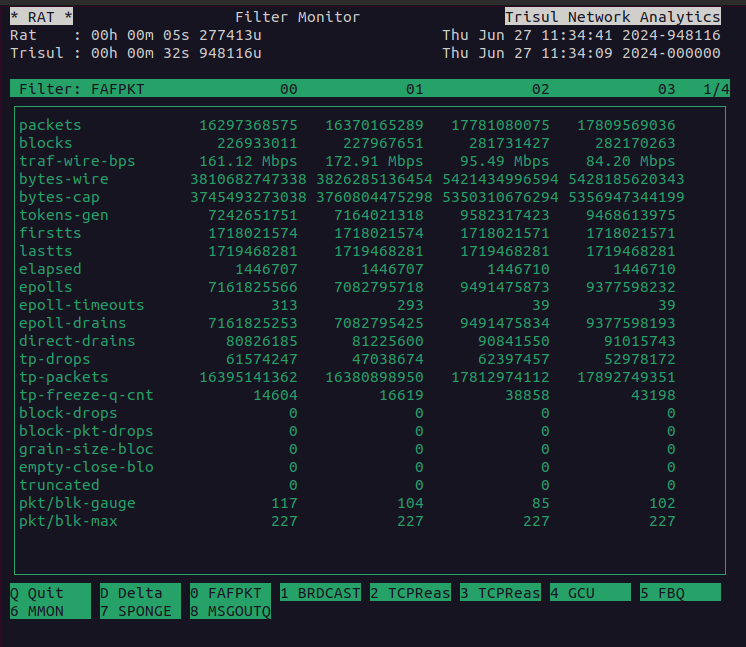
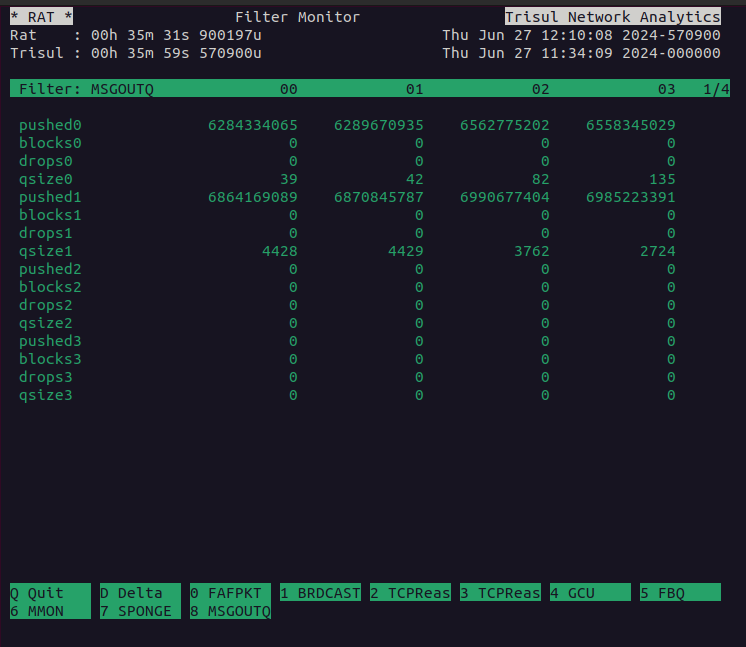
The following screenshots show RAT in action.