High Security
Overview
Trisul's VAPT feature, when enabled in OEM settings, protects your system against various vulnerabilities, including:
- Cross-Site Scripting (XSS)
- SQL injection
- Unexpected errors
- Unprotected credentials
Functionality
When enabled, Trisul's VAPT feature:
- Detects and blocks XSS attacks, logging the offending code and redirecting users to an error page.
- Neutralizes SQL injection attacks by detecting and blocking suspicious SQL syntax, logging the attempt and redirecting users to a secure error page.
- Conceals sensitive information, such as socket paths and code errors, on error pages to prevent exposure.
- Prevents saving credentials for the login page, adding an extra layer of security.
Password Requirements
High Security doesn't change the password policy. The password rules, password expiry and account lockout apply to all users whether High Security is on or off. See Password/Security.
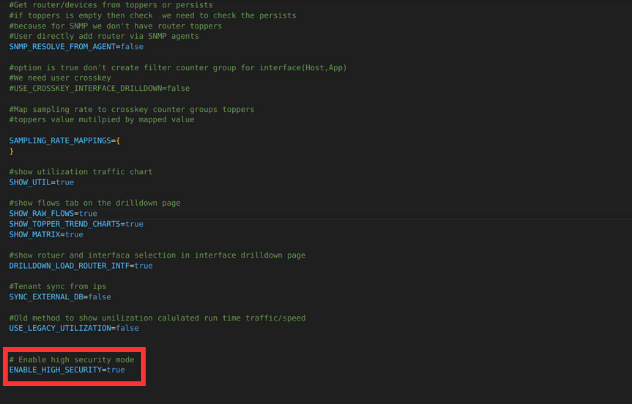
Figure: High Security Enabled
High Security is off by default (ENABLE_HIGH_SECURITY=false). To turn it on, set ENABLE_HIGH_SECURITY=true in the OEM settings file (/usr/local/share/webtrisul/config/initializers/oem_settings.rb), then restart WebTrisul: the webtrisuld service, or webtrisulssld, depending on your install. See Start and Stop WebTrisul.