Analysis Tools Reference
Trisul offers a suite of tools, which are specialized utilities designed to analyze, process, and act upon network data, including packets, flows, and logs. These tools serve various purposes, such as extracting insights, detecting issues, and taking actions.
These tools are on the Tools menu but are documented in other sections:
The rest of this section covers the other tools on the Tools menu.
📄️ Explore Flows
Explore Flows is a general-purpose search tool for inspecting network flows. Use it to examine individual flows, look at packet-level and NetFlow data, and track down security threats or performance issues.
📄️ Aggregate Flows
The Aggregate Flows tool enables you to query network flow data and displays summarized statistical information for each unique tuple. The output shows one table for each parameter (tuple fields such as source IP, source port and destination IP).
📄️ Long Term Traffic
The Long Term Traffic Tool in Trisul allows you to analyze and visualize network traffic patterns of a particular item over extended periods, typically weeks, months, or even years. This feature is also available on the Module templates if you would like to monitor long term traffic of a particular item on a regular basis.
📄️ Monthly Charts
Monthly charts in Trisul are calendar-based data visualization where you can visualize daily aggregated network traffic data for specific meters and items on a calendar interface.
📄️ Payload Search
Packet capture mode.
📄️ Search Key Space
The Search Key Space tool allows you to search for activity for a range of keys lying within a certain lexicographic key space. The most useful application of this is to search for all activity within arbitrary IP network blocks.
📄️ Rule Builder
The Rule Builder helps you create rules in Trisul filter format for features such as flow taggers and custom metering. You define the conditions, and the Rule Builder generates the rule string.
📄️ Rebucketizer
Overview
To access the complete toolset, navigate to the main menu in Trisul, where you will find the Tools option. Clicking on this option will reveal a dropdown menu listing all available tools as in the figure.
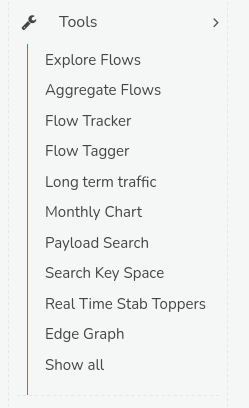
Figure: Tools