Rule Builder
The Rule Builder helps you create rules in Trisul filter format for features such as flow taggers and custom metering. You define the conditions, and the Rule Builder generates the rule string.
Trisul Rule Format
See Trisul Filter Format section for more details
How to Use
👉 Go to Tools → Show all, then in the Packet tools card select Trisul Rule Builder
The Tools menu is available to the Administrator and Forensic Operator roles. You can also open the rule builder from Add Rule in the Flow Tagger policy form.
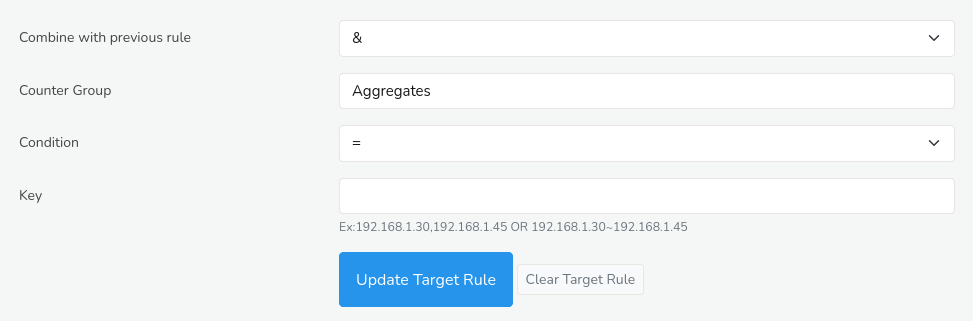 Figure: Rule Builder
You can fill in the Rule Builder form to build your rule with the help of the following options and their descriptions.
| Options | Description |
|---|---|
| Combine with previous expression | Whether to AND or OR this expression with what is already in the Tagger Rule box above. You can ignore for simple expressions |
| Counter Group | Select a counter group which you want to match |
| Condition | Select EQUALS or NOT EQUALS, this operator applies to the key field |
| Key | Keys to match from the counter group selected. The text below the box has examples of key formats. You can specify multiple keys by using commas |
Once you have filled in the required fields, click the Update Target Rule button to generate a rule string in Trisul filter format. This output will be displayed in the designated output box right below the Rule Builder, where it can be copied and pasted into your desired application.