Access Points
Access points help connect protocols to ports. The common use case is to specify NetFlow ports for each protocol.
Access points map protocols to ports and other entities. For example, to decode UDP port 5556 as NetFlow, edit UDP and map port 5556 to the NetFlow protocol.
Access Point List
Login as admin user to view the access points list.
navigation
👉 Go to Context: default → profile0 → Access Points
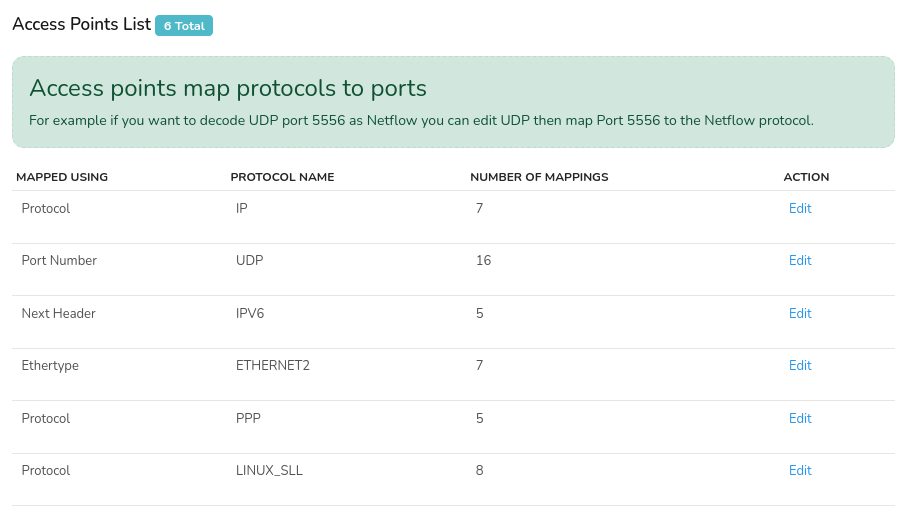
Figure: Access Point List
The access point list shows the following table of details.
| Detail | Description |
|---|---|
| Mapped Using | Shows on what basis the network traffic mapping is based on like protocol, port number, ethertype etc. |
| Protocol Name | Name of the protocol. |
| Number of Mappings | Shows the number of mappings in that port. |
| Action | Click Edit to modify the port number and protocol. |
Add a New Access Point
Click the Edit button against any protocol in the protocol list and on the following screen, click the Add button to add new access point.
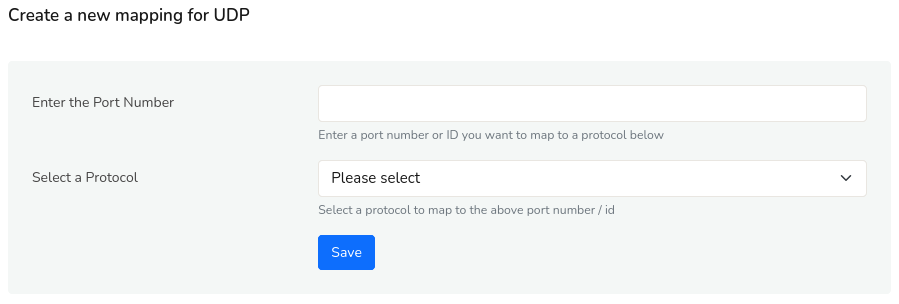
Figure: Create a New Mapping for the UDP
Enter the port number and select the protocol from the dropdown. Click Save.