Create PDF and Excel reports with Trisul AI
Ask for a report with exactly the tables, charts and columns you need. Trisul AI builds it from your stored data and gives you a download link. You don't need a report template.
Before you begin: Trisul AI is set up, and you've selected the context to report on.
Create a PDF report
-
Open the Trisul AI page and describe the report. Name the format, the contents and the time window:
generate a pdf report with the top hosts traffic trend and a https traffic chart for last 1 hour -
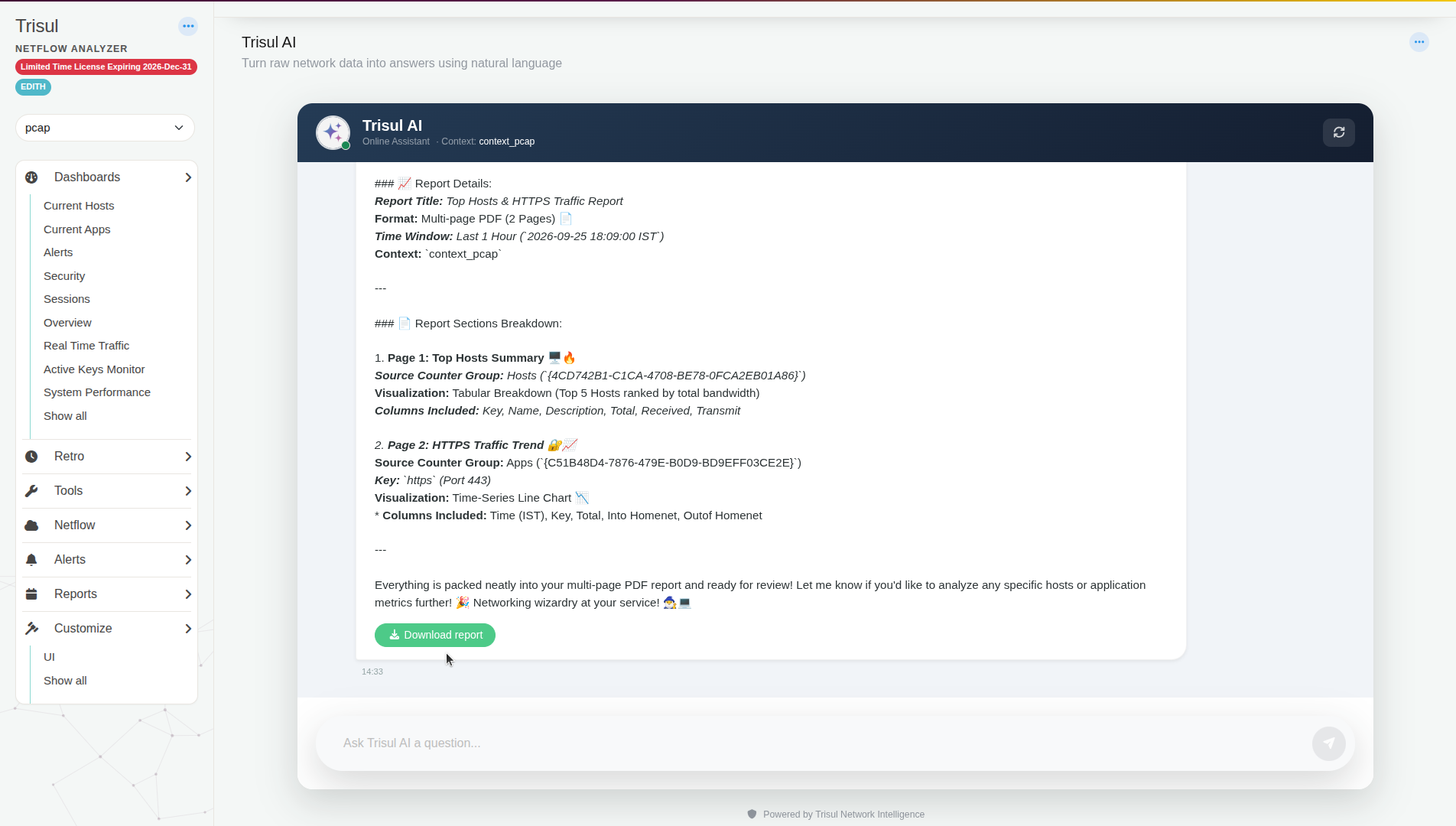
Read the summary. Trisul AI lists the title, format, time window, context, and for each page its counter group, visualization and columns.
-
Click Download report.
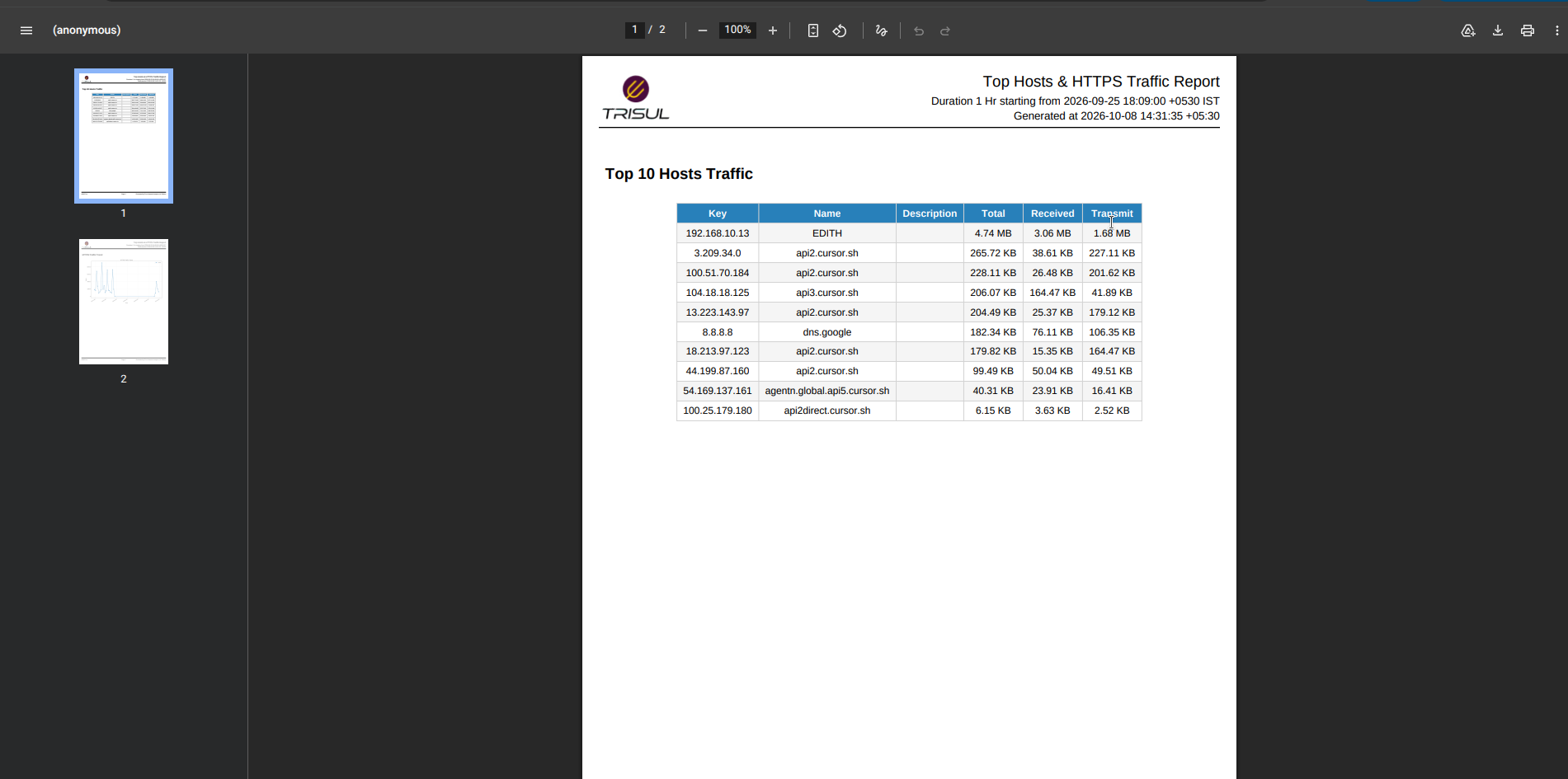
The PDF has a header with the report title, the time window and the time it was generated.
Create an Excel report
-
Ask for an Excel report:
generate a excel report with top 20 applications -
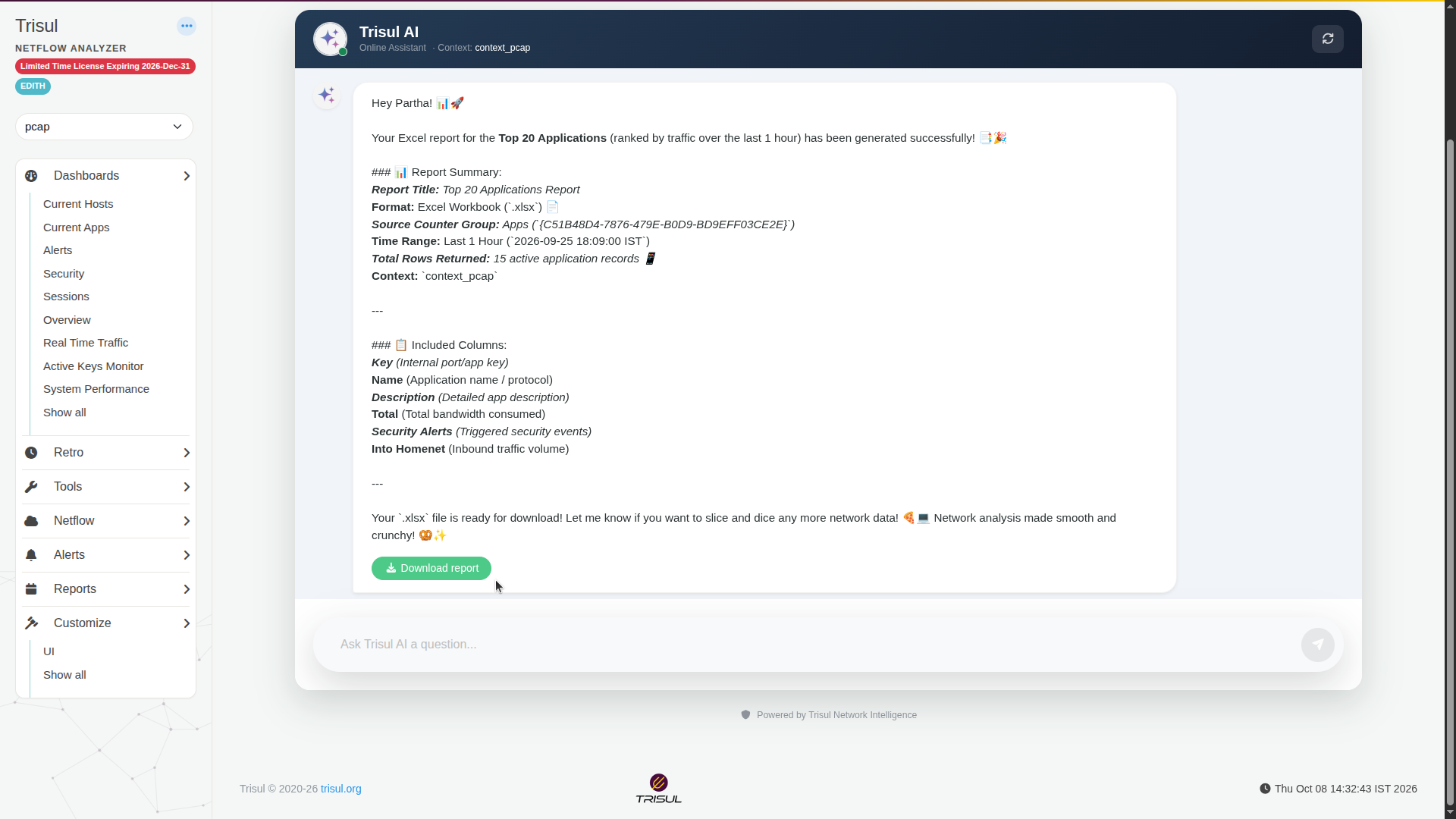
Read the summary, including Total Rows Returned. You can get fewer rows than you asked for if fewer items had traffic in that window.
-
Click Download report. The file is an Excel workbook (
.xlsx).
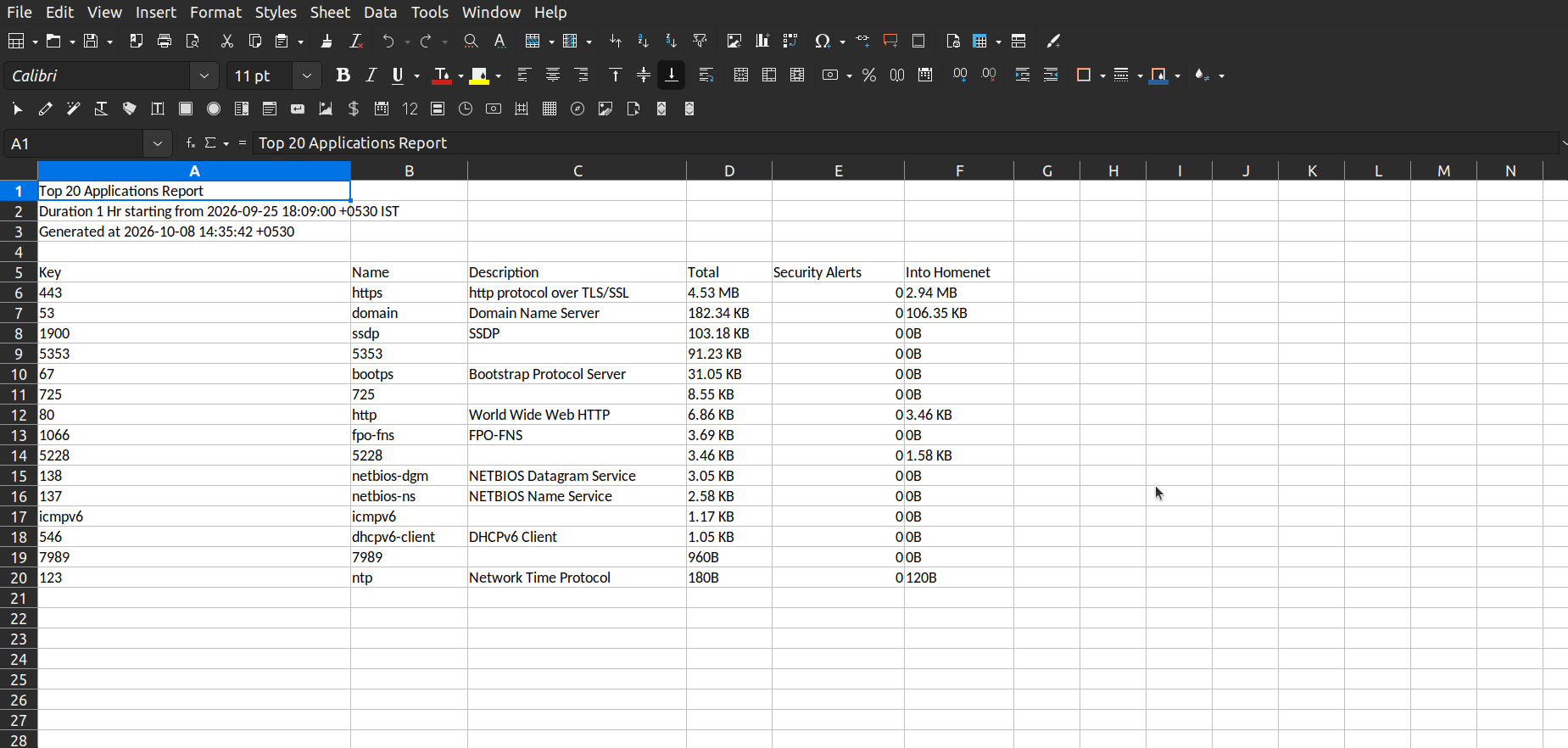
Rows 1–3 of the sheet hold the report title, the time window and the generation time. The data table starts on row 5.
Get exactly the columns you need
Name the columns in your question. Trisul AI drops the rest. For example:
create an interface utilization report with only Router IP, Hostname, Interface, Interface Description, In Utilization, Out Utilization and Total Utilization
Tips
- Always give a time window. Otherwise Trisul AI picks one.
- Check the time window in the summary before you download. "Last 1 hour" means the last hour of data available in the context, not the hour before now. If the context stopped receiving traffic, the report covers the last hour before it stopped.
- To send a report on a schedule, use Schedule Email Reports in the Admin panel. Trisul AI reports are on demand.
Related
- What you can ask
- Built-in reports: Reports